
C
Qt Quick Ultralite multiscreen Example
Demonstrates how to use multiple screens in Qt Quick Ultralite.
Overview
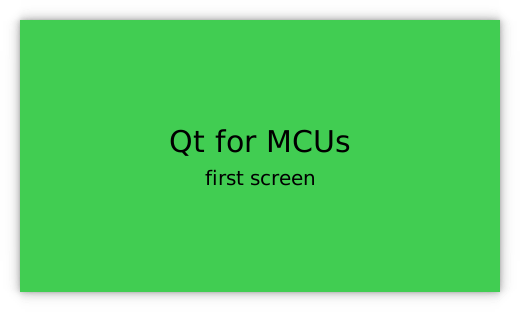
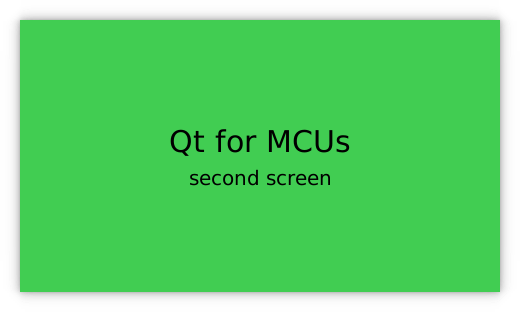
The multiscreen example shows how a single Qt Quick Ultralite application can display content on separate screens.
Target platforms
Project structure
The minimal example consists of only two files, CMakeLists.txt and multiscreen.qml.
The CMake project file contains a basic build script and the multiscreen.qml defines the UI.
CMake project file
cmake_minimum_required (VERSION 3.15)

project(multiscreen VERSION 0.0.1 LANGUAGES C CXX ASM)
if (NOT TARGET Qul::Core)
    find_package(Qul)
endif()

qul_add_target(multiscreen)
qul_target_qml_sources(multiscreen multiscreen.qml)

app_target_setup_os(multiscreen)
app_target_default_entrypoint(multiscreen multiscreen)

if(NOT CMAKE_CROSSCOMPILING AND NOT WIN32)
    add_custom_command(TARGET multiscreen
        COMMAND strip multiscreen -o multiscreen.stripped
        DEPENDS multiscreen)
endif()
Application UI
import QtQuick 2.15
import QtQuickUltralite.Layers 2.0

Application {
    Screen {
        backgroundColor: "#41CD52"
        ItemLayer {
            anchors.centerIn: parent
            depth: ItemLayer.Bpp32Alpha
            width: textPrimary.width
            height: textPrimary.height

            Rectangle {
                anchors.fill: parent
                color: "#41CD52"
            }

            Column {
                id: textPrimary
                anchors.centerIn: parent
                spacing: 5
                Text {
                    anchors.horizontalCenter: parent.horizontalCenter
                    font.pixelSize: 30
                    text: "Qt for MCUs"
                }
                Text {
                    anchors.horizontalCenter: parent.horizontalCenter
                    font.pixelSize: 20
                    text: "first screen"
                }
            }
        }
    }

    Screen {
        backgroundColor: "#41CD52"
        ItemLayer {
            z: 1
            anchors.centerIn: parent
            depth: ItemLayer.Bpp32Alpha
            width: textSecondary.width
            height: textSecondary.height

            Rectangle {
                anchors.fill: parent
                color: "#41CD52"
            }

            Column {
                id: textSecondary
                anchors.centerIn: parent
                spacing: 5
                Text {
                    anchors.horizontalCenter: parent.horizontalCenter
                    font.pixelSize: 30
                    text: "Qt for MCUs"
                }
                Text {
                    anchors.horizontalCenter: parent.horizontalCenter
                    font.pixelSize: 20
                    text: "second screen"
                }
            }
        }
    }
}
Files:
Available under certain Qt licenses.
Find out more.